Best Monitor for PS5: 3 Picks by Use Case
Three PS5 monitor profiles, compared from current maker pages and attributed lab reviews. NexaRig did not test them.
QUEST LOG 9 STEPS
MISSION BRIEFINGThree PS5 monitor profiles, compared from current maker pages and attributed lab reviews. NexaRig did not test them.
This article contains affiliate links.
To choose a monitor for PS5, check three things in order: an HDMI input that offers 120Hz at your resolution (HDMI 2.1 for 4K at 120Hz), a resolution the console can use, and whether a laptop will share the screen. The three picks below pass those checks on paper; NexaRig tested none of them.
| Your problem | Read |
|---|---|
| You want to buy a PS5 monitor | This page |
| Your PS5 stays at 60Hz or VRR is missing | PS5 Stuck at 60Hz? 120Hz and VRR Monitor Setup |
| A laptop will share the screen | Monitor for PS5 and Laptop |
| You are unsure between 1080p and 1440p | 1440p vs 1080p for PS5 |
| If you want | Pick | Main compromise |
|---|---|---|
| QHD desktop play | PlayStation 27-inch Gaming Monitor | Live stock can vary |
| 4K with PS5 features | Sony INZONE M9 II | Low native contrast and blooming (RTINGS) |
| Premium OLED, PS5 and PC | ASUS ROG Swift PG27UCDM | 240Hz is PC headroom; burn-in terms vary by region |
The five checks
Our five checks decide what is listed; maker pages establish specifications and named third-party reviews supply measured context. For the general order of decisions, see our guide to choosing a gaming monitor.
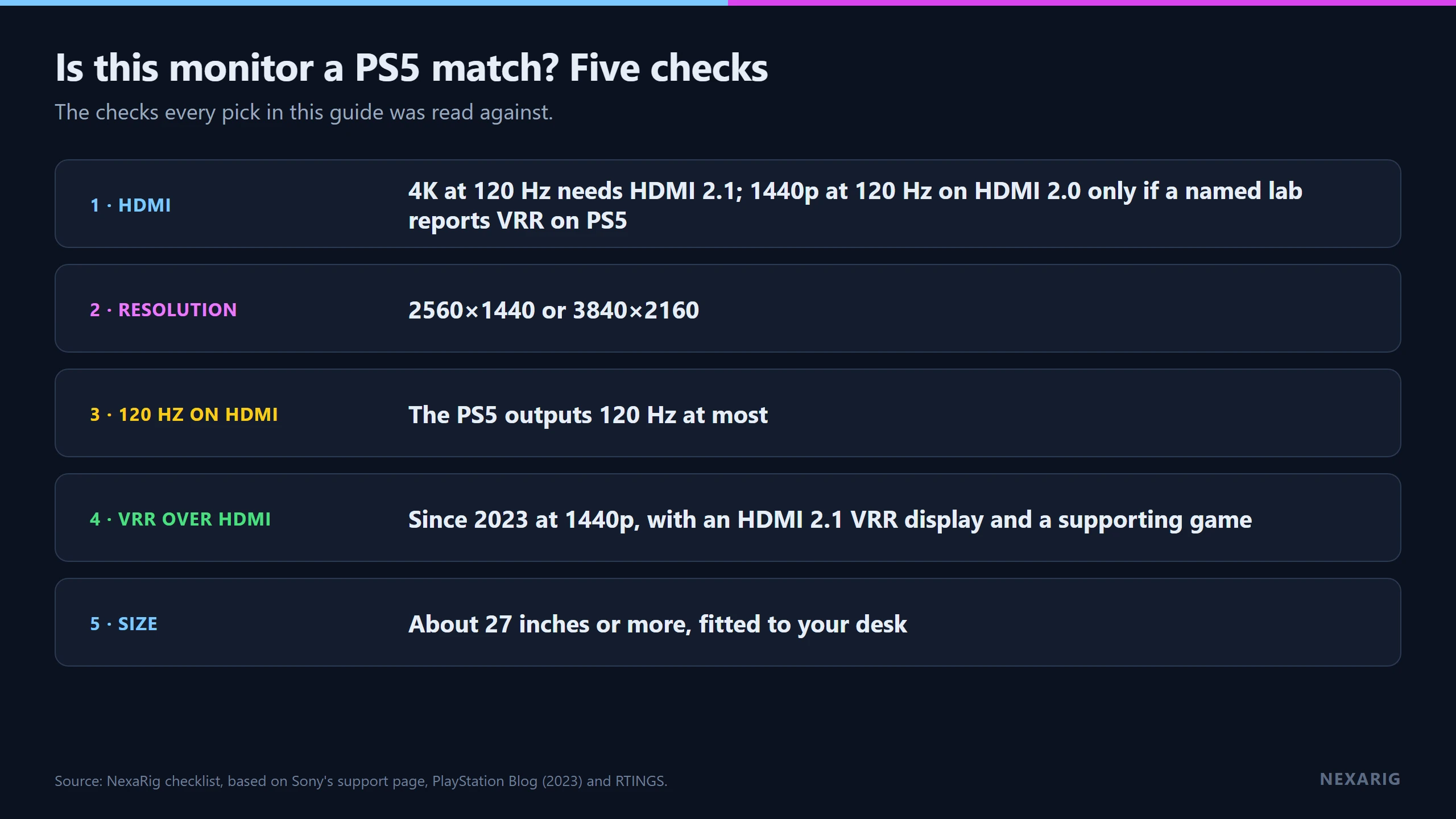
NexaRig checklist, based on Sony's support page, PlayStation Blog (2023) and RTINGS.
Text version of the diagram:
- HDMI bandwidth. 4K at 120 Hz needs HDMI 2.1 bandwidth; Sony says to use an HDMI 2.1 port if the display has one, and recommends the cable included with the console. For 1440p at 120 Hz, Sony names no HDMI version, and RTINGS reports HDMI 2.0 models that work, so we only keep one if a named lab reports VRR working with a PS5.
- Resolution. 2560x1440 or 3840x2160. 1080p screens are valid at 24 inches; none are reviewed here.
- 120 Hz on the HDMI input. Check the rate for that port, not the headline figure. Sony documents 120 Hz as the PS5's top rate.
- VRR over HDMI. Sony added VRR at 1440p in 2023 (announced February 2, global release March 8), so 1440p is no longer a dead end.
- Size. About 27 inches or more, fitted to your desk depth.
The 1440p dates are on the 1440p vs 1080p page.
Best monitor for PS5: three picks by use case
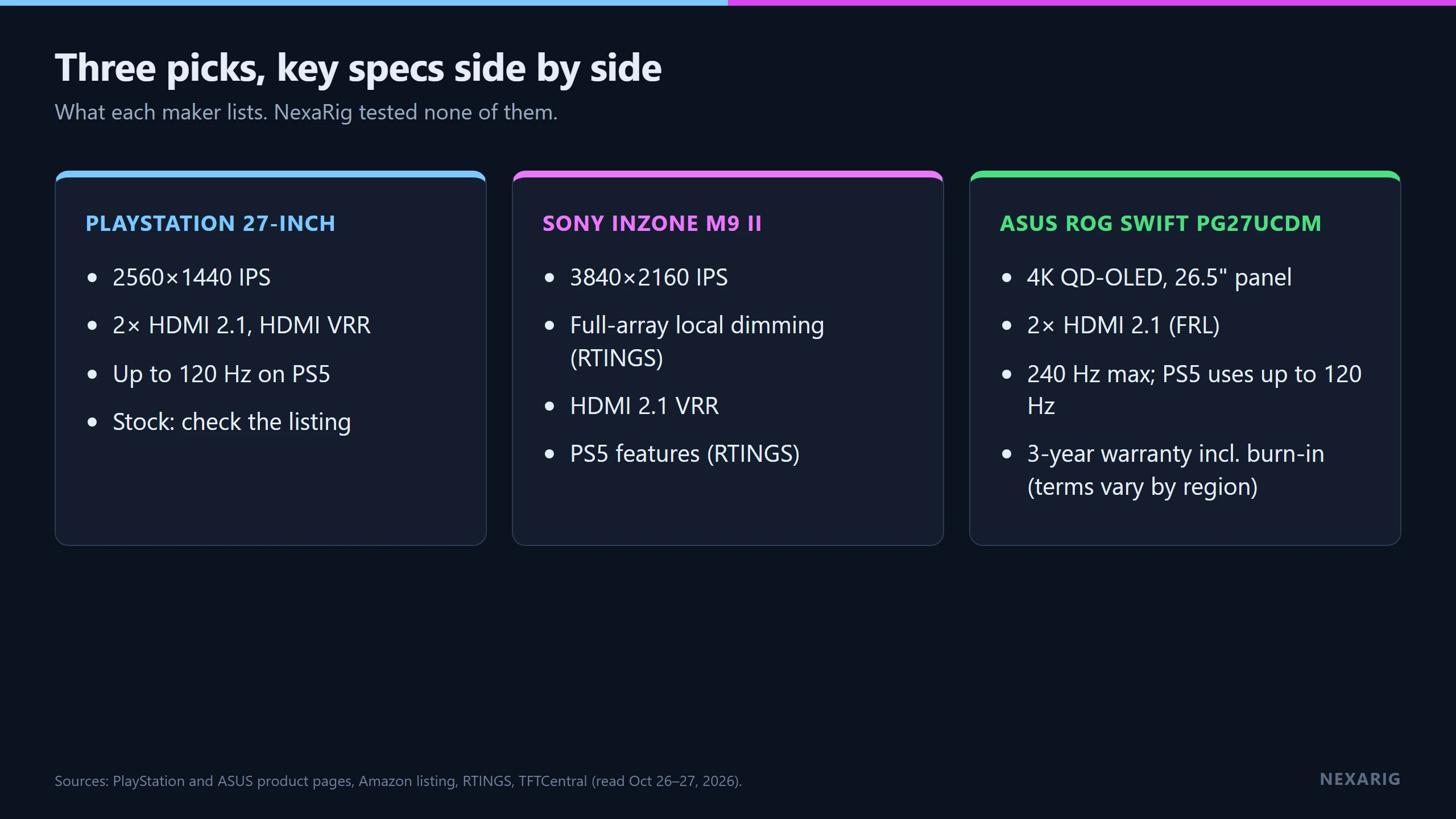
Drawn by NexaRig from PlayStation and ASUS product pages, an Amazon listing, RTINGS and TFTCentral (read Oct 26–27, 2026). NexaRig tested none of them.
Text version of the diagram: the three sections below list the same specs.
PlayStation 27-inch Gaming Monitor: QHD designed around PS5
PlayStation lists a 2560x1440 IPS panel, two HDMI 2.1 inputs, HDMI VRR and up to 120Hz on PS5. The same page lists up to 240Hz on compatible PCs and Macs, which the console does not use. The official product page now links to purchase, while live stock can still vary; this remains an editorial QHD pick, not an affiliate CTA.
Sony INZONE M9 II: 4K with named PS5 features
The Amazon title names a 27-inch 4K monitor at 160Hz with DisplayPort 2.1, HDMI 2.1 and VRR. RTINGS (reviewed January 24, 2025; bench updated March 30, 2026) lists full-array local dimming, HDMI 2.1 bandwidth and Auto HDR Tone Mapping with PS5 and PS5 Pro. It also reports low native contrast and blooming, so the PS5 integration does not remove the usual IPS trade-offs. See the Sony INZONE M9 II on Amazon.
ASUS ROG Swift PG27UCDM: premium OLED for PS5 and PC
ASUS lists a 26.5-inch 4K QD-OLED panel, two HDMI 2.1 FRL inputs, a 240Hz maximum and a three-year warranty that includes panel burn-in; regional terms can differ. RTINGS reports 4K at 120Hz support on PS5 and notes visible VRR flicker and purple-tinted blacks in a lit room. TFTCentral says console support was excellent. Buy it for OLED image quality or mixed PS5-and-PC use, not because a PS5 can use 240Hz. See the ASUS ROG Swift PG27UCDM on Amazon. Our 240Hz guide explains why that extra headroom is mostly a PC consideration.
Alternatives and trade-offs
| Model | What the maker lists | Caveat |
|---|---|---|
| Acer Nitro XV275K P5 | Singapore page: 27-inch 4K IPS Mini LED, 160Hz, two HDMI 2.1 | Regional variants differ, and the Amazon ASIN previously used does not confirm the P5 suffix, so it is not a linked pick |
| Dell S2725QS | 4K 120Hz office monitor, two HDMI 2.1, VRR | Useful when work matters as much as gaming; RTINGS notes motion blur and no local dimming |
| ASUS XG27ACS | HDMI 2.0, up to 144Hz over HDMI | RTINGS reports 1440p at 120Hz and VRR with most PS5 signals; a lower-cost route, not the clean HDMI 2.1 choice |
| PS5 plus a laptop | Not one model: the PS5 needs an HDMI input, and the laptop needs USB-C with DisplayPort Alt Mode (plus enough charging watts) or its own HDMI or DisplayPort input | See our PS5 and laptop guide |
Who should skip a new monitor
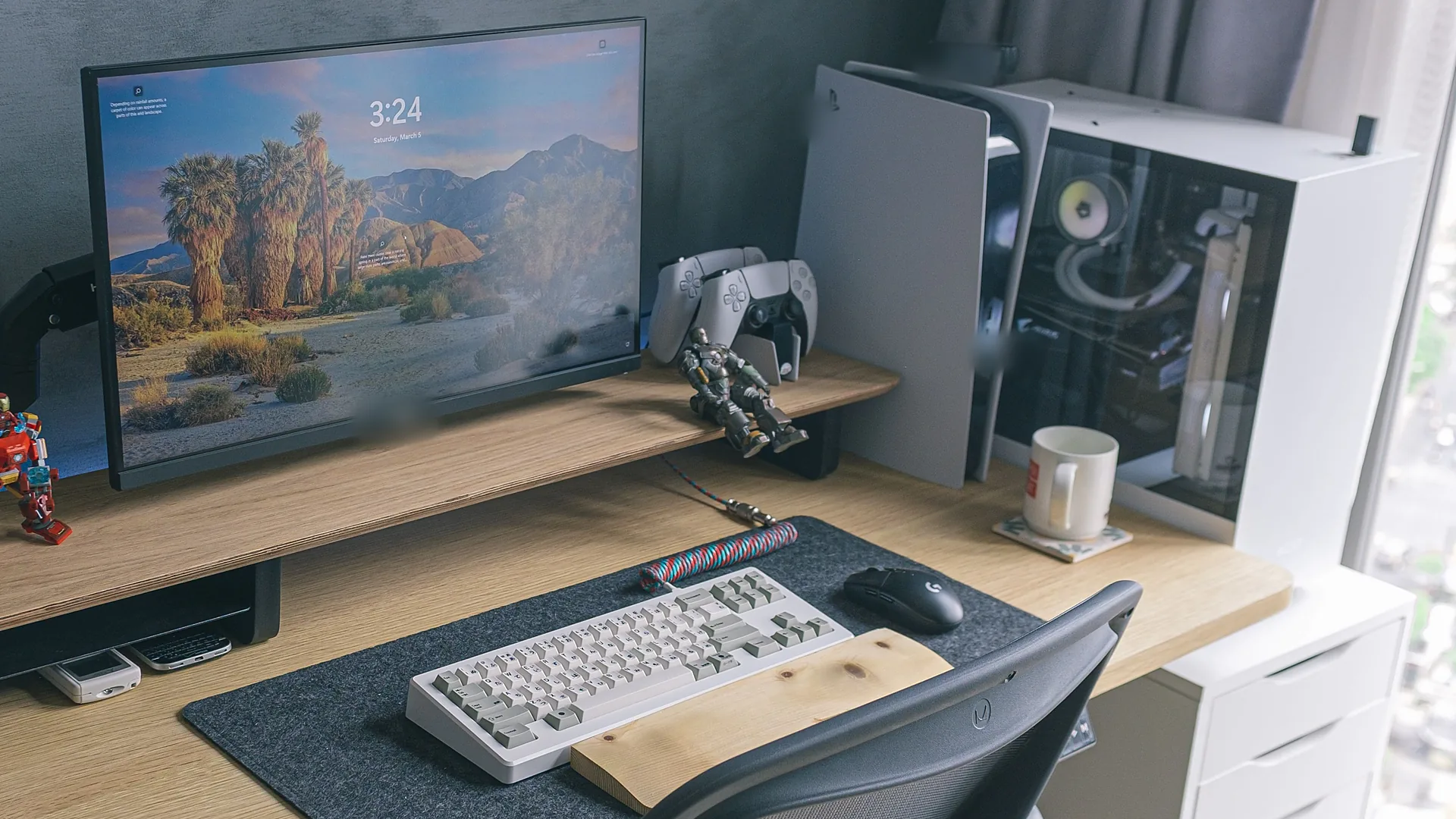
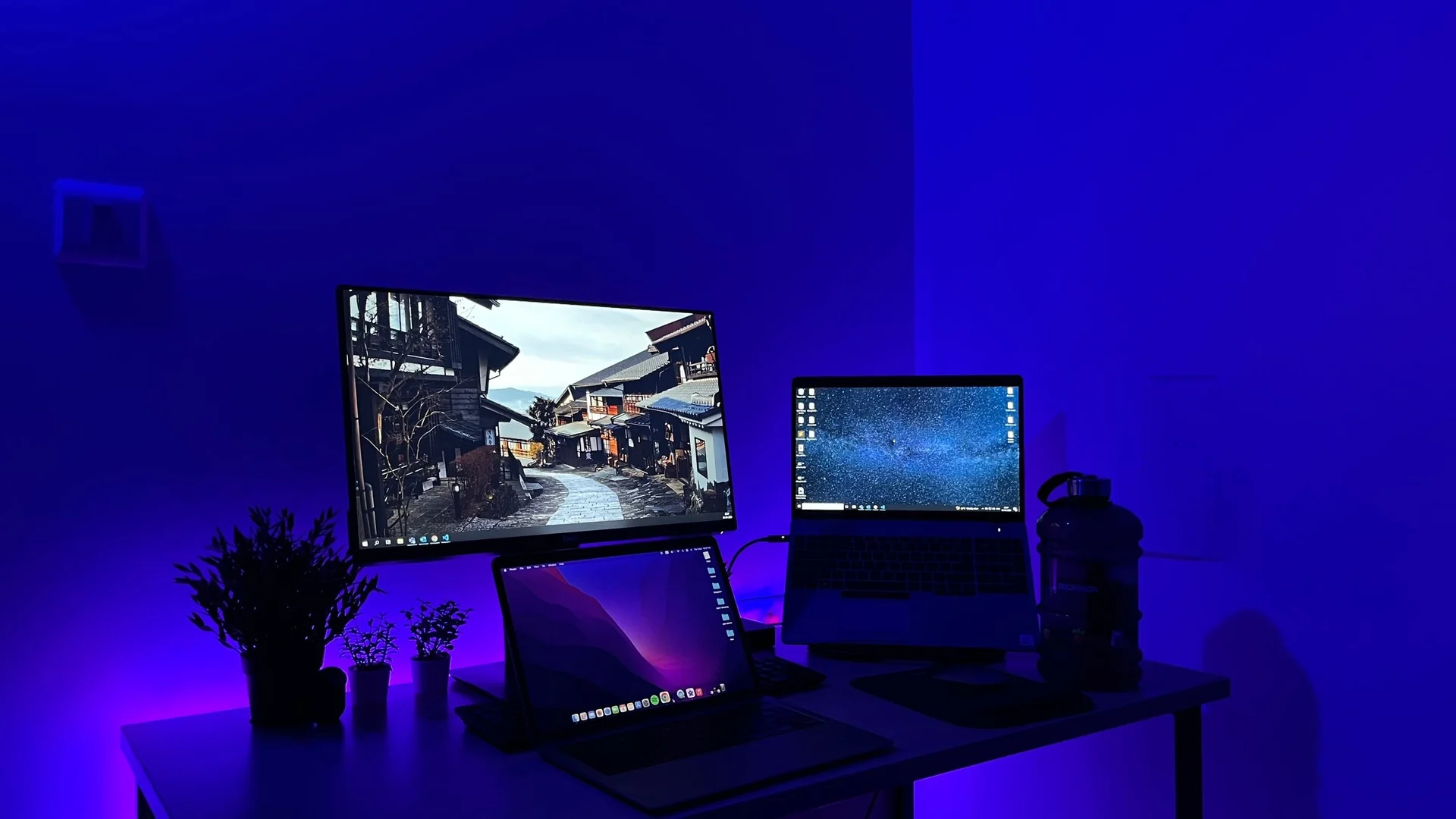
A console setup on a desk: the monitor sits at eye level beside the console. Photo: Huy Phan / Pexels (cropped by NexaRig)
- You play on an HDMI 2.1 TV. That TV already covers Sony's 4K 120 Hz path.
- Most of your games run at 60 fps. A 120 Hz panel will sit idle.
- Your current monitor has HDMI 2.1 and VRR. If it accepts 1440p, run Sony's Test 1440p Output (Settings > Screen and Video > Video Output) before replacing it.
- You want OLED but play static HUD games for hours. Read the burn-in terms before you buy.
Cables and settings
For 4K at 120Hz, plug the PS5 into an HDMI 2.1 input. Sony recommends the cable included with the console and cites an Ultra High Speed cable only in its 4K 120Hz troubleshooting. If the picture stays at 60Hz or drops out, see our 120Hz and VRR setup guide.
How we researched this
This is an Analysis, with no hands-on tests: NexaRig measured no response time, input lag or image quality, and lists no prices. On October 27, 2026 we read the official PlayStation 27-inch monitor page and store listing, ASUS's PG27UCDM specifications, Dell's S2725QS page, Acer's Singapore XV275K P5 page and the public parts of the named RTINGS and TFTCentral reviews. RTINGS buys its units and earns affiliate commissions, and TFTCentral discloses affiliate links; we did not read RTINGS's member-only results. Maker pages establish announced specifications; third-party reviews provide attributed measurements and observations.
FAQ
What is the best monitor for PS5?
It depends on the profile. Pick PlayStation's 27-inch monitor for a QHD option designed around PS5, while checking live stock; the Sony INZONE M9 II for 4K and named PS5 features; or the ASUS PG27UCDM for premium OLED and mixed PS5-and-PC use.
Do I need HDMI 2.1 for PS5?
For 4K at 120Hz, Sony points to an HDMI 2.1 port; for 1440p at 120Hz, we found no HDMI version set on Sony's page, so the monitor's HDMI input must list 120Hz. Our 60Hz and VRR guide covers the checks.
Is 4K 120 Hz worth it on PS5?
Only if your games have a 4K mode that runs near 120 fps, which not all do. The resolution comparison covers the 1440p alternative.
Does the PS5 use 240 Hz?
No. PlayStation's monitor page lists up to 120 Hz on PS5 and up to 240 Hz on compatible PCs and Macs. A 240Hz monitor can connect, but the console does not use that mode.
Does the PS5 support 1440p?
Yes. Sony added 1440p output in September 2022 and VRR at 1440p in 2023.
Limitations and points to verify
- Specifications, stock and firmware change; every value is as read on October 26 or 27, 2026. We list no prices, so check the seller and the exact model on Amazon, since similar names differ by region and color.
- PlayStation 27-inch monitor: the official product page links to purchase, but live stock can still vary.
- Acer XV275K P5: the maker page checked is for a Singapore variant; the Amazon ASIN previously used does not confirm the P5 suffix.
- Sony INZONE M9 II: no Sony spec page was read; the ports come from the Amazon title and the PS5 features and local dimming from RTINGS.
- ASUS PG27UCDM: ASUS lists a 26.5-inch panel; RTINGS reports visible VRR flicker.
- Dell S2725QS: an office monitor; RTINGS notes motion blur.
- ASUS XG27ACS: the HDMI 2.0 and 1440p at 120 Hz claim rests on RTINGS.
Sources
- RTINGS, "The 6 Best Monitors For PS5/PS5 Pro of 2026," updated October 14, 2026, https://www.rtings.com/monitor/reviews/best/ps5, accessed October 27, 2026.
- RTINGS reviews, accessed October 27, 2026: Acer Nitro XV275K P5 (November 13, 2025), https://www.rtings.com/monitor/reviews/acer/nitro-xv275k-p5biipruzx; ASUS ROG Swift PG27UCDM (March 21, 2025), https://www.rtings.com/monitor/reviews/asus/rog-swift-oled-pg27ucdm; Dell S2725QS (September 30, 2025), https://www.rtings.com/monitor/reviews/dell/s2725qs; ASUS ROG Strix XG27ACS (October 4, 2024), https://www.rtings.com/monitor/reviews/asus/rog-strix-xg27acs; Sony INZONE M9 II (January 24, 2025, bench updated March 30, 2026), https://www.rtings.com/monitor/reviews/sony/inzone-m9-ii; Dell Alienware AW2726DM (May 12, 2026), https://www.rtings.com/monitor/reviews/dell/alienware-aw2726dm; Dell Alienware AW2725DM (February 18, 2026), https://www.rtings.com/monitor/reviews/dell/alienware-aw2725dm.
- ASUS ROG, PG27UCDM specifications, https://rog.asus.com/monitors/27-to-31-5-inches/rog-swift-oled-pg27ucdm/spec/, accessed October 27, 2026; XG27ACS specifications, https://rog.asus.com/monitors/27-to-31-5-inches/rog-strix-xg27acs/spec/, accessed October 27, 2026.
- Sony Interactive Entertainment, "How to change PS5 console resolution" (support page), https://www.playstation.com/en-us/support/hardware/ps5-4k-resolution-guide/, accessed October 26, 2026.
- PlayStation Blog: "New PS5 system software update is out globally today," September 7, 2022, https://blog.playstation.com/2022/09/07/new-ps5-system-software-update-is-out-globally-today/; "PS5 system software update rolls out globally today," February 2, 2023 (updated March 8, 2023), https://blog.playstation.com/2023/02/02/ps5-beta-introduces-discord-voice-chat-vrr-support-for-1440p-and-more/.
- PlayStation, "27" Gaming Monitor with DualSense Charging Hook," https://www.playstation.com/en-us/accessories/27-inch-gaming-monitor/, and PlayStation Direct store page, https://direct.playstation.com/en-us/buy-accessories/27-gaming-monitor-with-dualsense-charging-hook, accessed October 26 and 27, 2026.
- Dell, "Dell 27 Plus 4K Monitor - S2725QS," https://www.dell.com/en-us/shop/monitors/apd/dell-27-plus-4k-monitor-s2725qs/s2725qs_monitor/-, accessed October 27, 2026.
- TFTCentral, "Asus ROG Swift PG27UCDM review" (published January 2, 2025), https://tftcentral.co.uk/reviews/asus-rog-swift-pg27ucdm, accessed October 27, 2026.
- Acer Singapore, Nitro XV275K P5 product page, https://www.acer.com/sg-en/monitors/gaming/nitro-xv5/pdp/UM.HX5SG.501, accessed October 27, 2026; regional variant.
- Amazon US listing titles read October 27, 2026, used to confirm models and ASINs: https://www.amazon.com/dp/B0FKNB5D1W, https://www.amazon.com/dp/B0DM6SHQTN, https://www.amazon.com/dp/B0F1GF1KFC, https://www.amazon.com/dp/B0CV24GQ9W, https://www.amazon.com/dp/B0D9R8YPK3.
This article is based on sourced research, without direct testing by NexaRig. How NexaRig labels its articles.
NEXT // CONTINUE YOUR RUN