Is 240Hz Worth It? Check Your Real Frame Rate First
A 240Hz monitor only pays off when your frame rate gets close to 240. Here is a quick check, then a verdict for competitive PC, solo PC and console players.
QUEST LOG 12 STEPS
MISSION BRIEFINGA 240Hz monitor only pays off when your frame rate gets close to 240. Here is a quick check, then a verdict for competitive PC, solo PC and console players.
This article contains affiliate links.
Is 240Hz worth it? Compare your typical in-game frame rate, not the peak, with 144, 165, 180 and 240Hz before paying for extra headroom. If your PC typically sits well below 240, or you play on a console that tops out at 120Hz, a 144Hz or 165Hz screen is easier to fill. Refresh rate is one spec among several; our guide to choosing a gaming monitor puts it in order with resolution, size and panel.
If your typical fps is…
Our rule of thumb (opinion, not measured thresholds, and no promise of performance):
| If your typical fps is… | A sensible pick |
|---|---|
| Under 165 | 144Hz or 165Hz; 240Hz has little left to show |
| 165 to 219 | A judgment call: 165Hz or 180Hz is easier to fill, 240Hz leaves room to grow |
| 220 or more, regularly, in competitive games | 240Hz starts to make sense |
| Console | 120Hz is the ceiling on PS5, so 240Hz adds little |
At a glance
- The rule: a monitor cannot show more frames per second than its refresh rate, and a 240Hz screen shows no extra frames if your game renders far fewer.
- The step is smaller than it looks: going from 144Hz to 240Hz shortens the time between refreshes by about 2.8 ms (our math).
- Consoles: PlayStation's monitor page lists up to 120Hz on PS5, so a 240Hz screen runs at 120Hz or less on it.
What 240Hz changes
Refresh rate is how many times per second the screen updates. The time between updates is 1000 divided by the refresh rate. This table is a calculation, not a measurement.
| Refresh rate | Time per refresh | Gain over the step below |
|---|---|---|
| 60Hz | 16.7 ms | |
| 120Hz | 8.3 ms | 8.3 ms vs 60Hz |
| 144Hz | 6.9 ms | 1.4 ms vs 120Hz |
| 165Hz | 6.1 ms | 0.9 ms vs 144Hz |
| 240Hz | 4.2 ms | 1.9 ms vs 165Hz, 2.8 ms vs 144Hz |
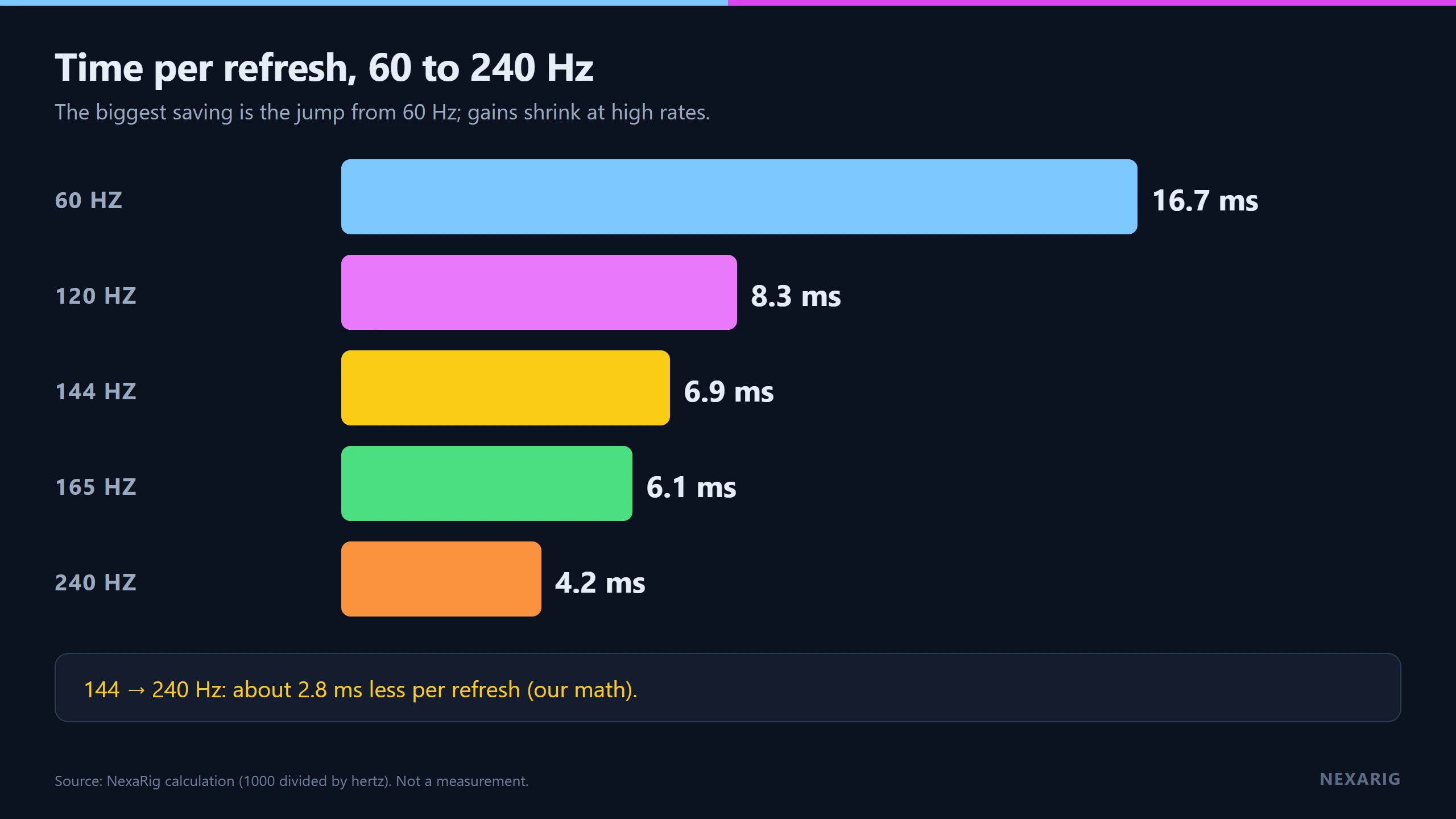 Our math (1000 divided by hertz). Not a measurement.
The first steps save the most milliseconds, and the gains shrink at high rates, which is why the jump from 60Hz is the one most people notice and the jump to 240Hz is the one that depends on your hardware. We make no claim about what this does to your results in a match.
Check your real frame rate before you buy
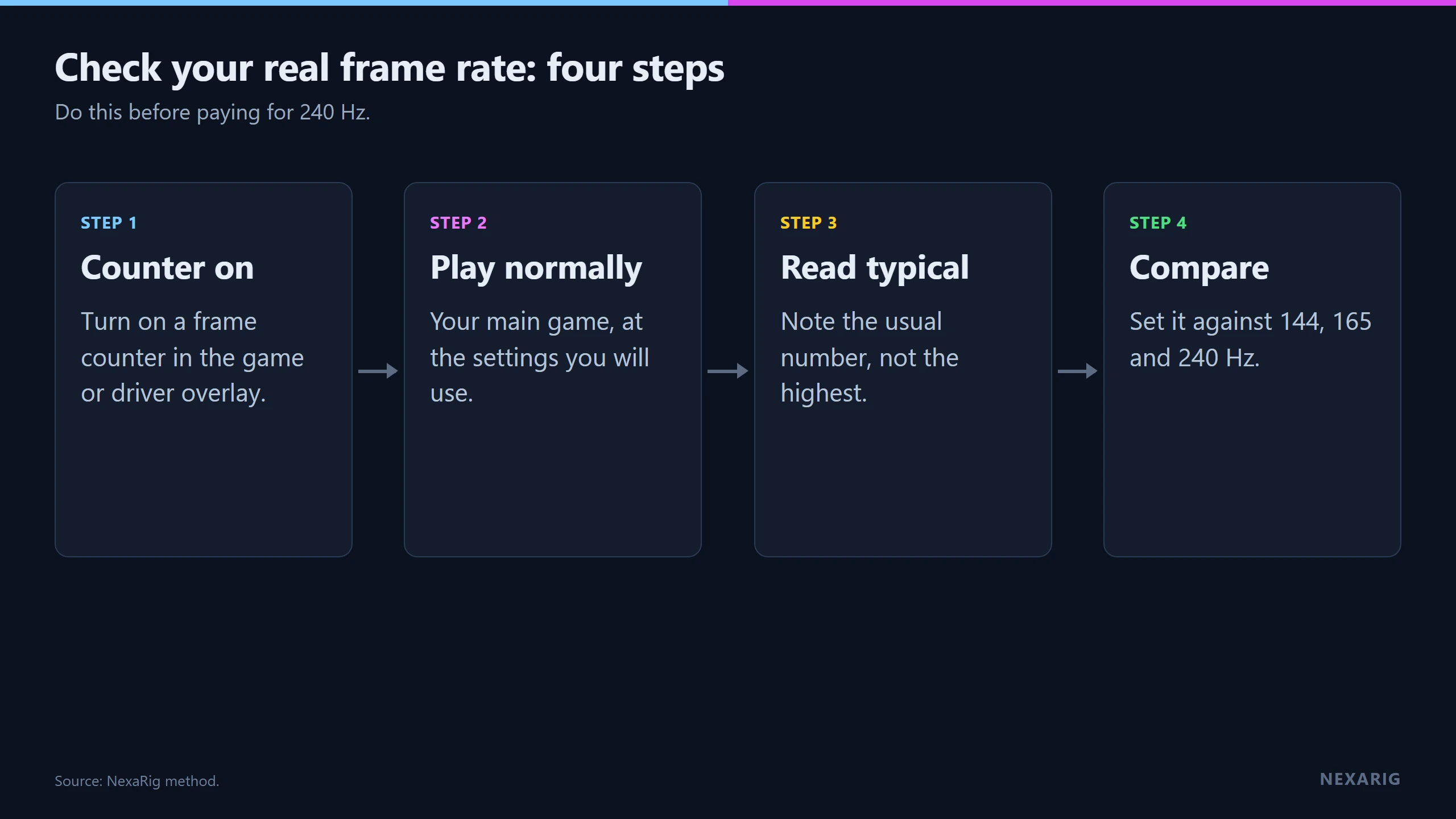 NexaRig method.
Text version of the diagram: turn on a frame counter (your game's settings or a graphics-driver overlay; first time only, not timed); play your main game normally at the settings and resolution you will use; read the typical number, not the highest; compare it with 144, 165 and 240Hz. Mostly below 144 means 240Hz has little to add; often in the 200s means the step is worth considering.
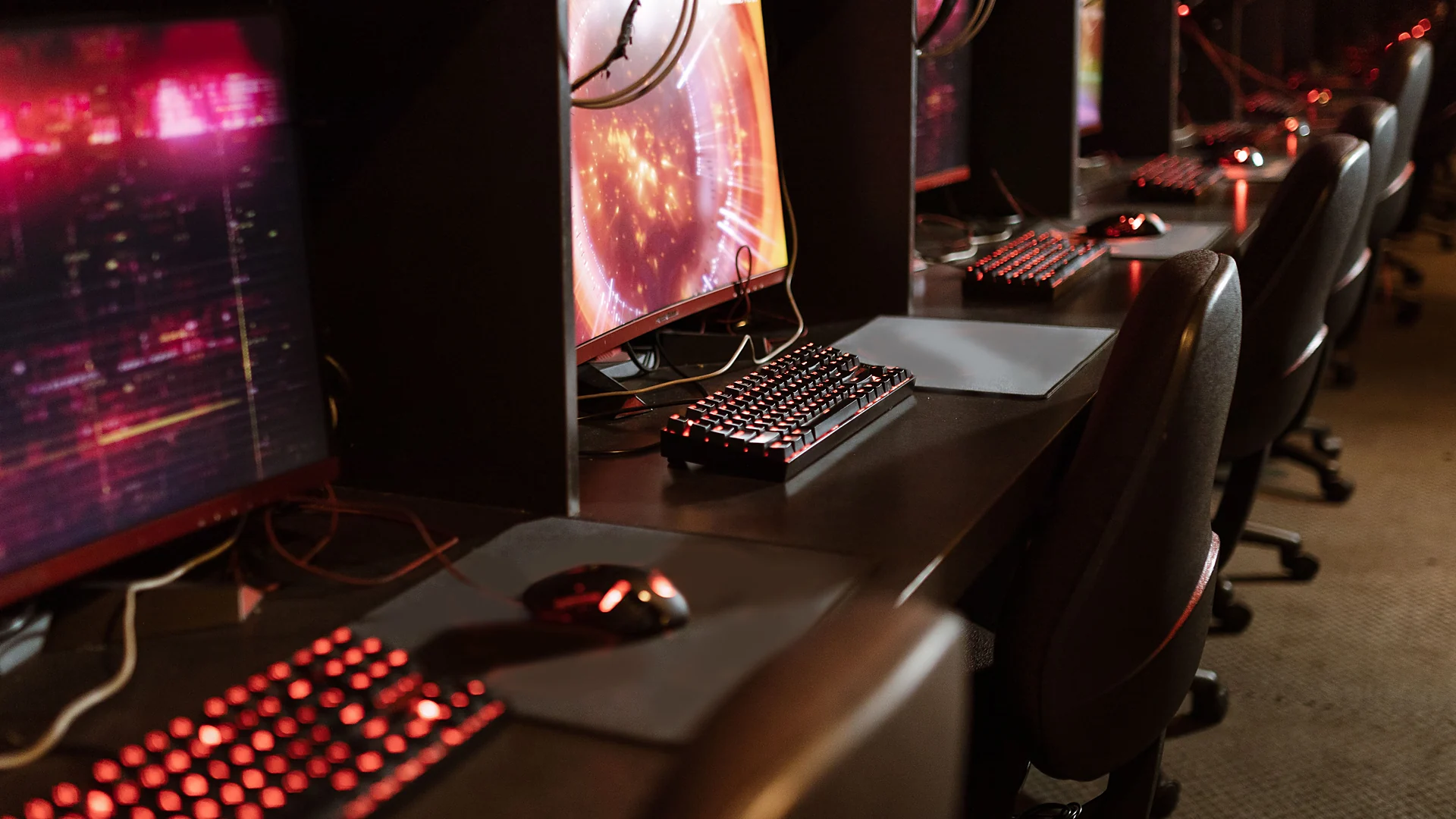
 The graphics card sets the frame rate your monitor can actually show. Photo: Ron Lach / Pexels (cropped by NexaRig)
If lowering graphics settings raises your fps, your GPU is probably the limit; if it doesn't, your CPU may be (a rule of thumb, not a diagnosis).
Why a fast screen is not a problem at lower fps: with variable refresh rate (VRR), when your monitor, graphics card or console and game all support it, the screen can follow your frame rate instead of staying at its maximum. The only question is whether you are paying for refreshes you will not use.
Refresh rate is only part of motion clarity. RTINGS (Nicholas Di Giovanni, updated September 15, 2026) describes diminishing returns at high refresh rates and notes that response time matters too. RTINGS lists 0.6 ms total response on one 240Hz OLED and 7.1 ms on a 240Hz LCD: a 240Hz label alone says little about clarity (models named in Sources; they are not the monitors linked below).
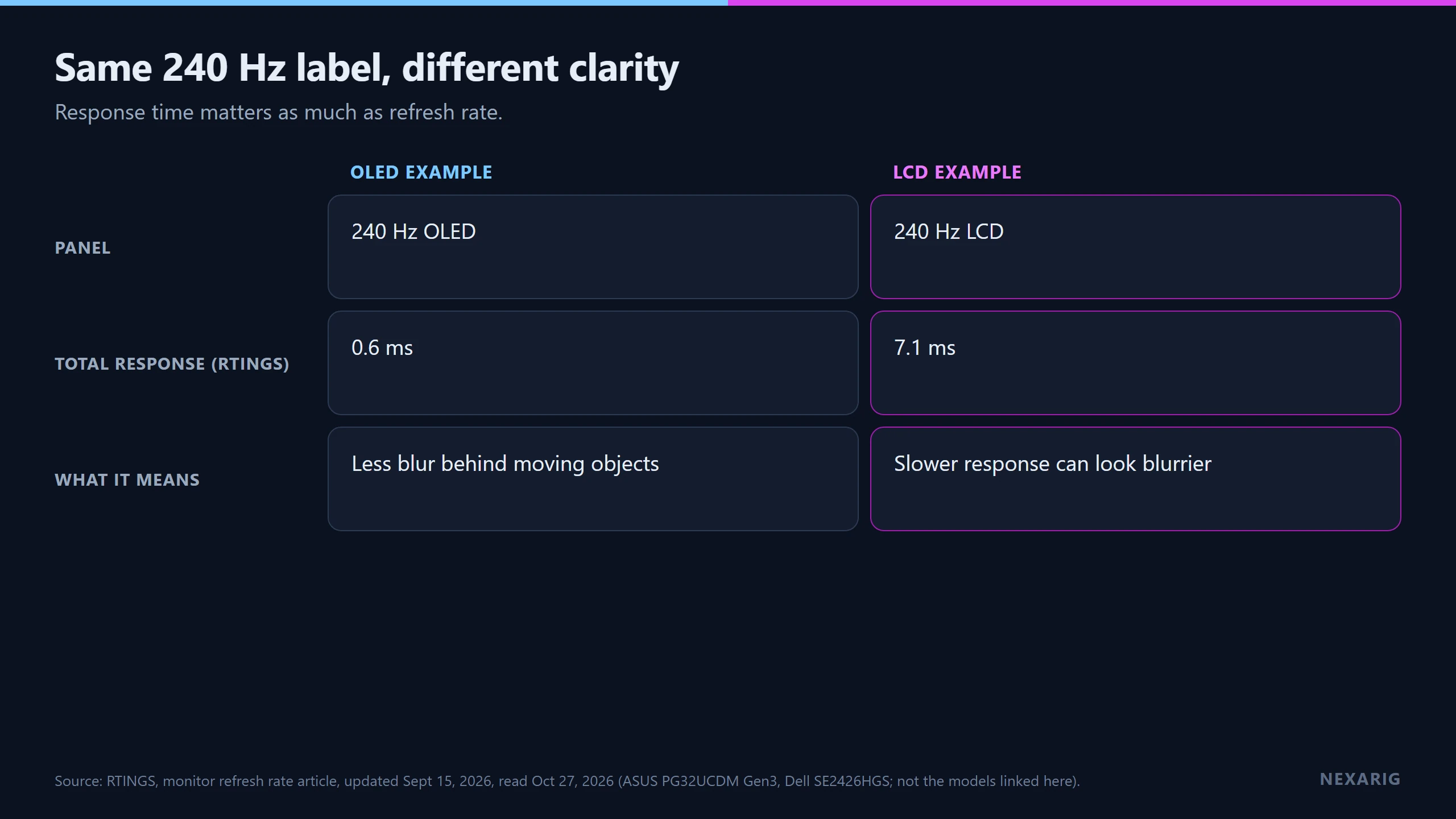 Drawn by NexaRig from RTINGS (updated Sept 15, 2026); not the models linked here.
Our rule of thumb, which is opinion and not a measured threshold: buy the refresh rate your machine reaches most of the time, not the one it reaches in its best scene.
Is 240Hz worth it? Verdict by player profile
| Profile | Verdict | Why | Compromise |
|---|---|---|---|
| Competitive PC, shooters, typical fps near 240 | 240Hz is worth considering | You can use the extra refreshes | Needs sustained high frame rates; a weaker GPU wastes it |
| Competitive PC, typical fps around 144 to 165 | 144Hz or 165Hz | The 240Hz tier cannot be filled | Revisit after a GPU upgrade |
| Solo or story PC games, 60 to 120 fps | 144Hz, 165Hz or 180Hz | Visuals and resolution matter more | Less future headroom |
| PS5 | 120Hz is the ceiling | PlayStation's monitor page lists up to 120Hz on PS5 consoles | A 240Hz screen only helps on a PC |
PlayStation's monitor page lists up to 120Hz on PS5, and Sony's support page describes 120Hz output as an option for games that support it. A PS5-only player gains nothing from a monitor's 240Hz mode; our best monitor for PS5 guide focuses on models and features the console can actually use. Microsoft lists up to 120 fps for Xbox Series X and S, and Nintendo lists 120 fps at 1080p or 1440p for Switch 2 in TV mode, so the same ceiling applies there (game support varies).
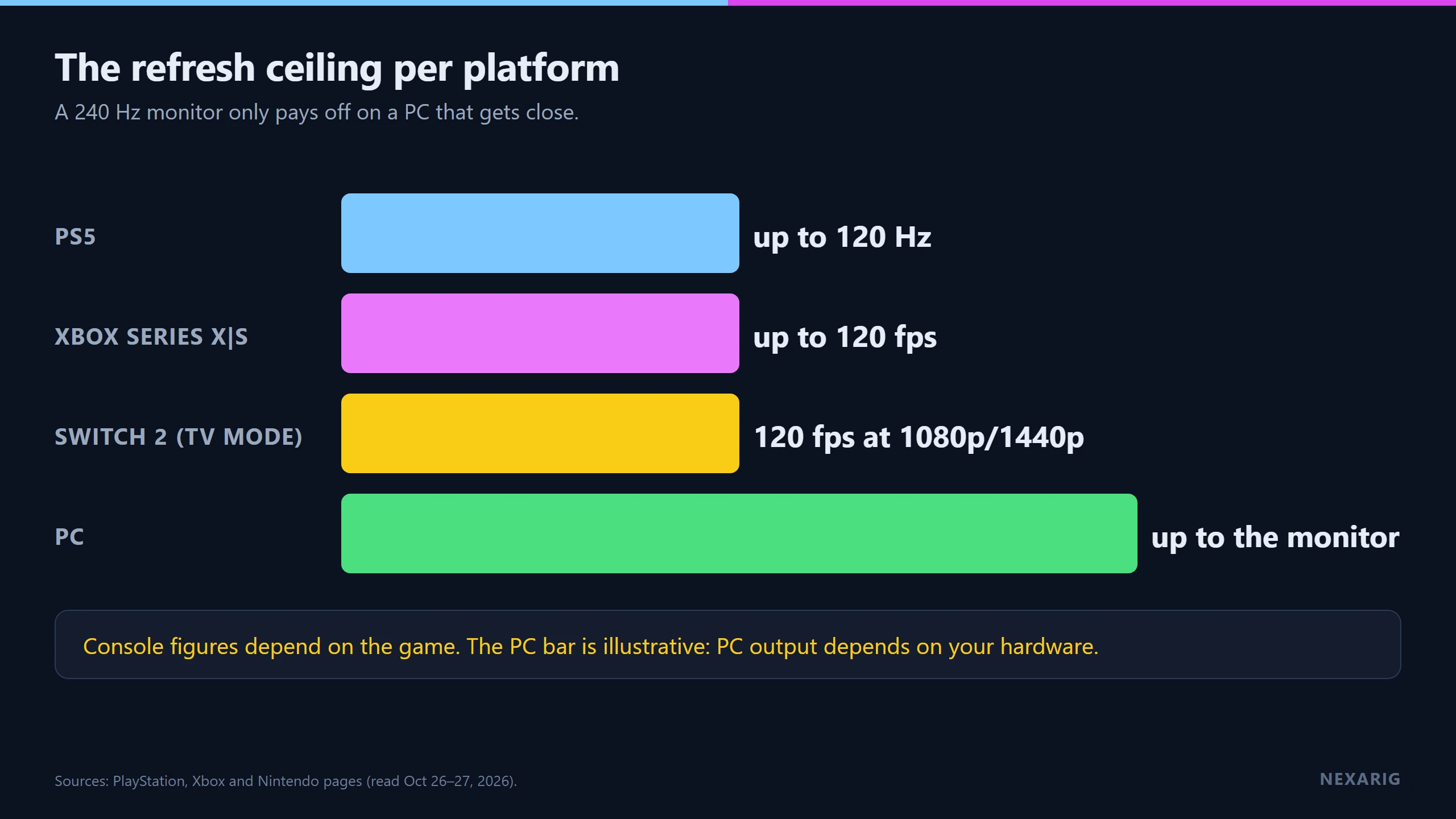 Drawn by NexaRig from PlayStation, Xbox and Nintendo pages (read Oct 26–27, 2026).
Two examples to compare on Amazon
We chose a pair in the same 27-inch class, 180Hz versus 240Hz, because our thesis is that 144 to 180Hz is enough for most players. Both have a third-party review from RTINGS.
| AOC Q27G3XMN | Dell Alienware AW2726DM | |
|---|---|---|
| Class | 27-inch 1440p VA Mini-LED, 180Hz | 26.5-inch 1440p QD-OLED, 240Hz |
| Refresh rate (maker) | AOC lists up to 180Hz (144Hz at 1440p over its HDMI 2.0 input) | Dell's page lists 240Hz over DisplayPort only, HDMI up to 1440p at 120Hz, so 240Hz is a PC feature here |
| RTINGS verdict | "Impressive" for PC gaming, fast response time (test bench updated October 7, 2026) | "Excellent" for PC gaming, near-instant response time, low input lag (reviewed May 12, 2026, bench updated October 5, 2026) |
| RTINGS cons | Distracting VRR flicker when the frame rate varies; no VRR with the PS5 | Low-bandwidth ports, limited brightness, purple-looking blacks in bright rooms |
| Other third-party notes | TFTCentral (originally published December 7, 2023, updated September 24, 2024): DisplayPort 1.4 and HDMI 2.0, no HDMI 2.1; "it performs really well in HDR mode" | RTINGS notes Dell advertises a three-year burn-in warranty (check the terms with the seller) |
| Tested by NexaRig | No | No |
What the step up costs
We did not compare prices; open both listings and compare the same size and panel type. RTINGS describes the AOC as a budget gaming monitor and the AW2726DM as an entry-level QD-OLED. Our budget gaming setup guide shows where monitor spending sits in a whole desk.
Who should skip 240Hz
Keep your money if any of these describes you:
- Your typical frame rate is under about 144.
- A console is your only platform.
- You mostly play slower games where resolution and picture quality matter more.
- Paying for 240Hz would mean a smaller screen or a weaker panel.
FAQ
Is 240Hz worth it for gaming?
Only if your games run at frame rates near 240. If your typical frame rate is well below that, a 144Hz or 165Hz monitor costs less and is easier to fill.
Is 240Hz noticeably better than 144Hz?
If your frame rate sits near 240, the gain is real but smaller than the 60-to-144 jump. That is our analysis: the time between refreshes shrinks by 2.8 ms, against 9.7 ms for 60Hz to 144Hz (both our calculations from 1000 divided by hertz). We have not measured how it feels or what it does to results.
Can a PS5 use a 240Hz monitor?
It can connect, but PlayStation's monitor page lists up to 120Hz on PS5 consoles and up to 240Hz on compatible PC and Mac devices, so do not expect 240Hz from a PS5.
Do I need 240Hz for competitive games?
Not necessarily. It helps only when your hardware reaches the frame rates, and we cannot promise a gain in results.
What about 360Hz monitors?
This guide does not cover 360Hz monitors, but the same check applies: compare your typical frame rate with the refresh rate you would pay for. Going from 240Hz to 360Hz would cut the time per refresh by only about 1.4 ms (our math: 4.17 minus 2.78), a smaller step than 144Hz to 240Hz.
How we researched this
This is an Analysis, not a hands-on test. On October 26, 2026, we read the manufacturer and PlayStation pages listed under Sources, and on October 27, 2026 the three RTINGS pages and TFTCentral's AOC review, whose findings are attributed to them. We also read the Xbox and Nintendo console pages. On October 27, 2026, we also read Dell's page for the Alienware AW2726DM. We calculated the time per refresh ourselves. We did not buy or test any monitor, and we did not measure frame rates or response times.
Limitations and points to verify
- Monitor models, specs and prices change; check the manufacturer's page before buying.
- Sony's support page carries no update date, and 120Hz depends on the game.
Sources
- PlayStation, 27-inch gaming monitor product page, undated, accessed Oct 26, 2026: https://www.playstation.com/en-us/accessories/27-inch-gaming-monitor/
- Sony Interactive Entertainment, "How to change PS5 console resolution" (support page), undated, accessed Oct 26, 2026: https://www.playstation.com/en-us/support/hardware/ps5-4k-resolution-guide/
- AOC, Q27G3XMN product page, undated, accessed Oct 26, 2026: https://www.aoc.com/us/gaming/monitors/q27g3xmn
- RTINGS, Nicholas Di Giovanni, "Monitor refresh rate: does it matter?", updated Sep 15, 2026, accessed Oct 27, 2026 (response-time example: ASUS PG32UCDM Gen3, 0.6 ms, and Dell SE2426HGS, 7.1 ms): https://www.rtings.com/monitor/learn/monitor-refresh-rate-does-it-matter
- RTINGS, AOC Q27G3XMN review, test bench updated Oct 7, 2026, accessed Oct 27, 2026: https://www.rtings.com/monitor/reviews/aoc/q27g3xmn
- RTINGS, Dell Alienware AW2726DM review, reviewed May 12, 2026, test bench updated Oct 5, 2026, accessed Oct 27, 2026: https://www.rtings.com/monitor/reviews/dell/alienware-aw2726dm
- Dell, Alienware 27 Inch 240hz Gaming Monitor - QD-OLED (AW2726DM) product page, undated, accessed Oct 27, 2026: https://www.dell.com/en-us/shop/monitors/apd/alienware-27-240hz-qd-oled-gaming-monitor-aw2726dm/aw2726dm/-
- TFTCentral, AOC Q27G3XMN review, originally published Dec 7, 2023, last updated Sep 24, 2024, accessed Oct 27, 2026: https://tftcentral.co.uk/reviews/aoc-q27g3xmn
- Microsoft, Xbox Series X and Xbox Series S pages, undated, accessed Oct 27, 2026: https://www.xbox.com/en-US/consoles/xbox-series-x and https://www.xbox.com/en-US/consoles/xbox-series-s
- Nintendo, Switch 2 tech specs, undated, accessed Oct 27, 2026: https://www.nintendo.com/us/gaming-systems/switch-2/tech-specs/
- Amazon U.S. listings for the AOC Q27G3XMN (ASIN B0C8ZJKPWC, titles read Oct 26, 2026) and the Dell Alienware AW2726DM (ASIN B0GYG3VLMR, title read Oct 27, 2026); used to confirm the models, not their specs: https://www.amazon.com/dp/B0C8ZJKPWC and https://www.amazon.com/dp/B0GYG3VLMR
This article is based on sourced research, without direct testing by NexaRig. How NexaRig labels its articles.
NEXT // CONTINUE YOUR RUN