
War Thunder on PC: Free, but Big on Disk and a Steep Start
War Thunder is free on PC, for Windows or Mac. What it asks of you: plenty of disk space, a Gaijin account and a learning curve. How to get set up and where to start.
QUEST LOG 11 STEPS
War Thunder official trailer: The Battle is on!Autoplays muted · tap the video to play War Thunder freeMISSION BRIEFINGWar Thunder is free on PC, for Windows or Mac. What it asks of you: plenty of disk space, a Gaijin account and a learning curve. How to get set up and where to start.
Free to play · Windows & Mac · Online vehicle combat · Account required
War Thunder is free on PC. The catch is not the price: it's a download of roughly 23 GB to 76 GB on Windows and a learning curve. It is online PvP, you need a Gaijin account, and the game has an optional premium shop. Steam users rate it Mostly Positive: 72% of 328,486 English reviews are positive as of October 13, 2026. Here is what you are signing up for before you click.
War Thunder in 30 seconds
- Price: Free to play. The catch: optional purchases in a premium shop that sells in-game currency (Golden Eagles), premium account time and premium vehicles (checked October 13, 2026).
- Account: New to War Thunder? Create a Gaijin account at warthunder.com ("Register now!"), then sign in with it. Already have one? This button is meant for new players.
- Download: Gaijin lists a 23.1 GB minimal client or a 75.9 GB full client on Windows (22.1 GB and 62.2 GB on Mac). Steam asks for 70 GB minimum and 95 GB recommended free space (checked October 13, 2026). Plan your disk before you click.
- Connection: A permanent internet connection is required.
- Age rating: ESRB Teen (violence; users interact), listed for Windows PC and PlayStation 4 (checked October 13, 2026).
- Your move: Free up the space, install, then start in Arcade (see "Three ways to play").
Based on official Gaijin pages and store listings checked on October 13, 2026. Not a NexaRig hands-on test.
How to get War Thunder on PC
This guide covers Windows and Mac only. On a phone or tablet, open this page on your computer. Four steps:
- Click the button. It opens the official War Thunder site, warthunder.com.
- Register. Create a free Gaijin account ("Register now!"). Gaijin lists both a minimal and a full client size, so check which one fits your disk.
- Download and install. Download the client for Windows or Mac, run what you downloaded and let the game finish installing its files.
- Launch and sign in. Sign in with the new Gaijin account you registered. Keep your login details: it is the account you will play with. Begin in Arcade.
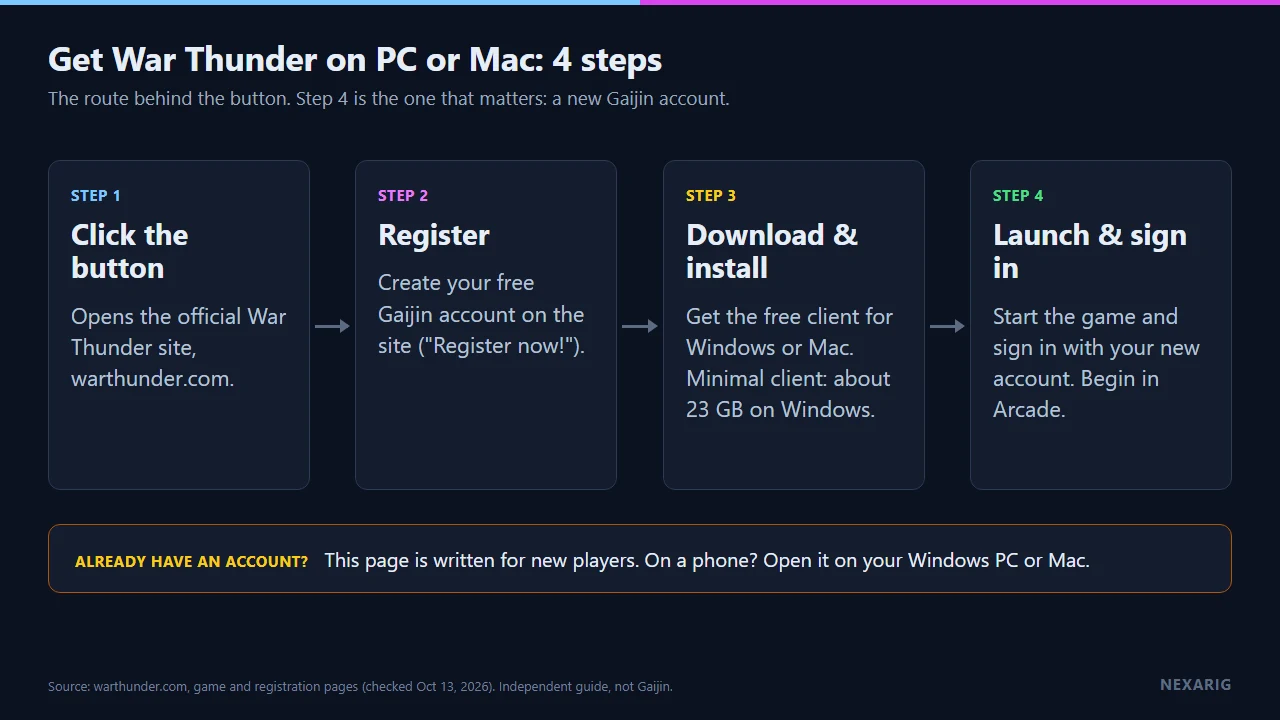
Install steps drawn by NexaRig from the official War Thunder site, checked October 13, 2026.
Is War Thunder free?
War Thunder is a free-to-play online vehicle combat game for Windows and Mac: you download and play it without paying. It is not a trial or a demo: Gaijin's own page says you are free to download and play right away "without any restrictions or subscription fees".
The game does have a shop, so set a budget (zero is a valid one) before you open it.
| Part | What the sources say | What it means for you |
|---|---|---|
| Download | Gaijin's site: Windows 23.1 GB minimal client, 75.9 GB full client; Mac 22.1 GB minimal, 62.2 GB full. Steam: free to play; 70 GB minimum, 95 GB recommended storage (checked October 13, 2026) | The size depends on what you install. Check your free space first |
| Account | Gaijin account required to play | Register for a Gaijin account on the official site, then sign in with it |
| Premium shop | Gaijin's shop sells Golden Eagles (in-game currency), premium account time and premium vehicles, often in packs (checked October 13, 2026) | Decide your limit before you open it |
| Online play | Online PvP; a permanent internet connection is required | Matches are played online against other players |
| Reviews | Steam: 72% of 8,864 English reviews from the last 30 days are positive (October 13, 2026) | A recent snapshot, not a guarantee of your experience |
What your PC needs
These are the requirements Gaijin lists. A minimum is not a performance promise: it means the game is expected to start, not to run well.
| Windows | Mac | |
|---|---|---|
| Storage | 23.1 GB minimal client, 75.9 GB full client (Gaijin); Steam lists 70 GB / 95 GB | 22.1 GB minimal client, 62.2 GB full client (Gaijin); Steam lists 70 GB / 95 GB |
| OS | Windows 10 (64-bit) min; Windows 10/11 (64-bit) recommended | macOS Big Sur 11.0 or newer |
| CPU | Dual-core 2.2 GHz min; Core i5 or Ryzen 5 3600 recommended | Core i5 2.2 GHz min; Core i7 recommended (Xeon not supported) |
| RAM | 4 GB min; 16 GB recommended | 6 GB min; 8 GB recommended |
| GPU | DirectX 11 GPU (GTX 660 / Radeon 77XX) min; GTX 1060 or RX 570 recommended | Metal-capable GPU (Intel Iris Pro 5200 or equivalent) min; Radeon Vega II or better recommended |
Source: warthunder.com/en/game/about, checked October 13, 2026.
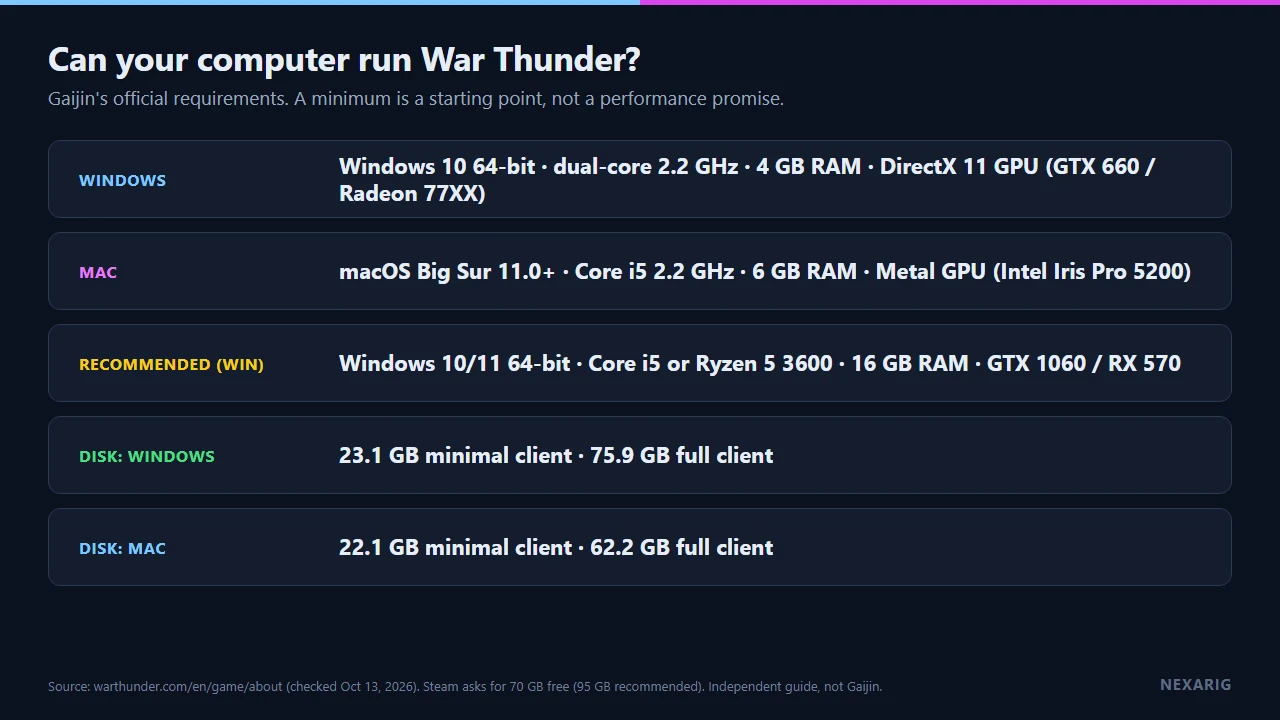
Requirements as listed by Gaijin and Steam, drawn by NexaRig (checked October 13, 2026).
Three ways to play
According to Gaijin's official wiki, the three main battle modes are Arcade, Realistic and Simulator.
| Mode | In short | Who it suits |
|---|---|---|
| Arcade | The simplest and fastest-paced, with aim assistance | Newcomers, short sessions |
| Realistic | Meant for more experienced players, with fewer simplifications | Players who want to learn vehicles |
| Simulator | Full immersion with first-person view; aircraft controls are adapted for controllers | Players who want maximum realism |
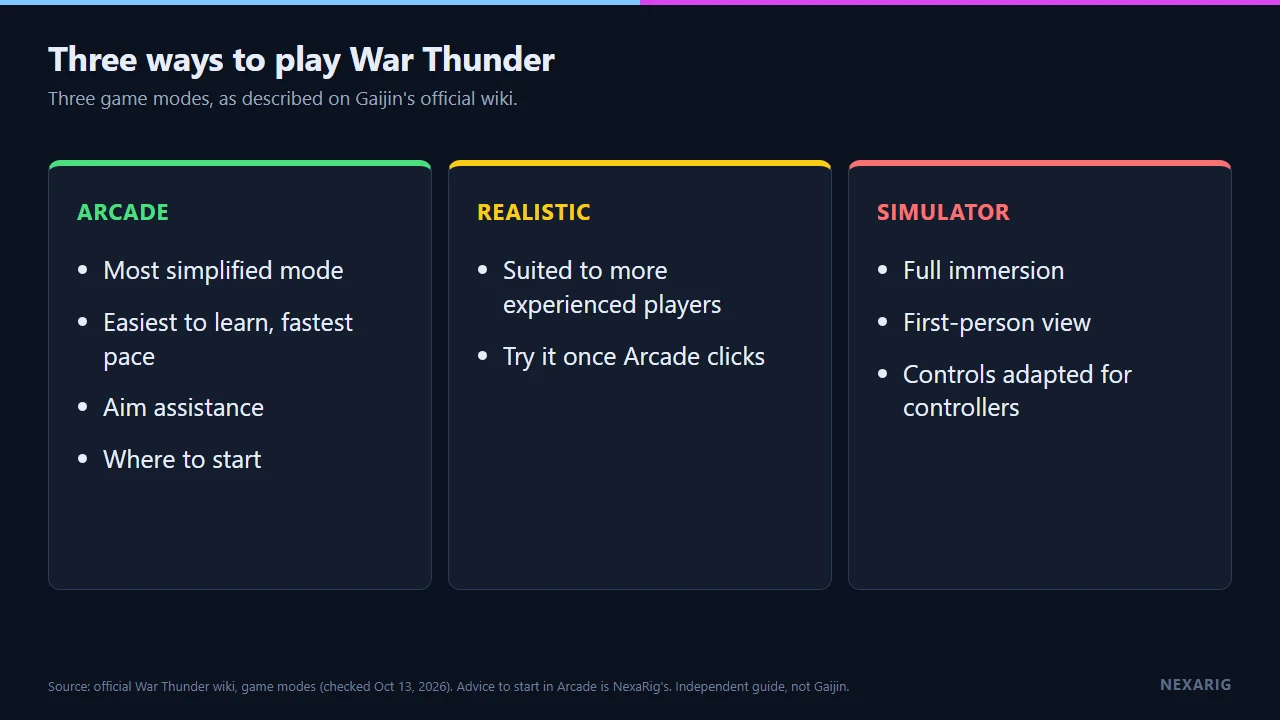
The three modes, drawn by NexaRig from Gaijin's official wiki (checked October 13, 2026).
Gaijin's wiki calls Arcade the most simplified mode and typically the easiest to learn. Our suggestion, which is a preference and not a fact: start in Arcade, the simplest mode, then move up if you want more realism. Gaijin's wiki says Realistic is meant for more experienced players, which is why we call the start steep. We have not played it ourselves.
Ground, air, sea
War Thunder is about combat vehicles from the early 20th century to modern units. Gaijin's official page lists over 2,500 vehicles from ten countries (checked October 13, 2026). The game covers three domains: ground, air and sea. Pick the one that draws you first; you do not have to master all three.
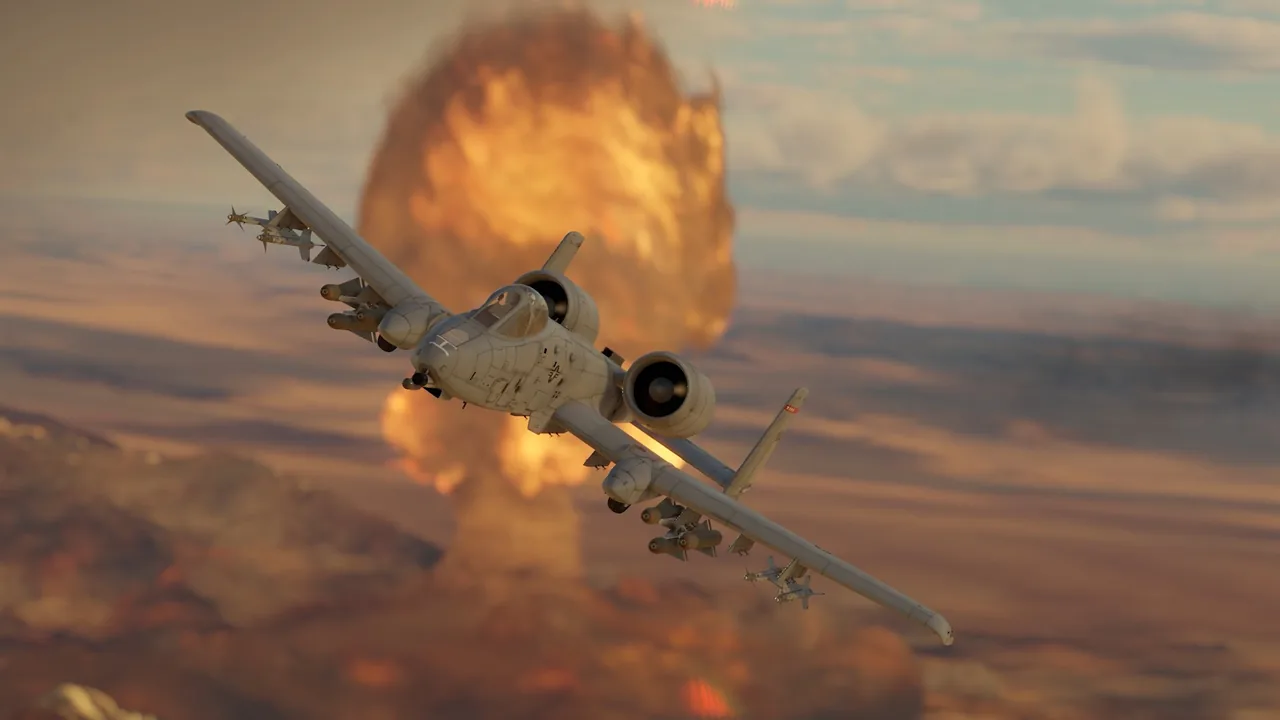
Air combat. Promotional footage, courtesy of Gaijin Entertainment, not NexaRig gameplay.
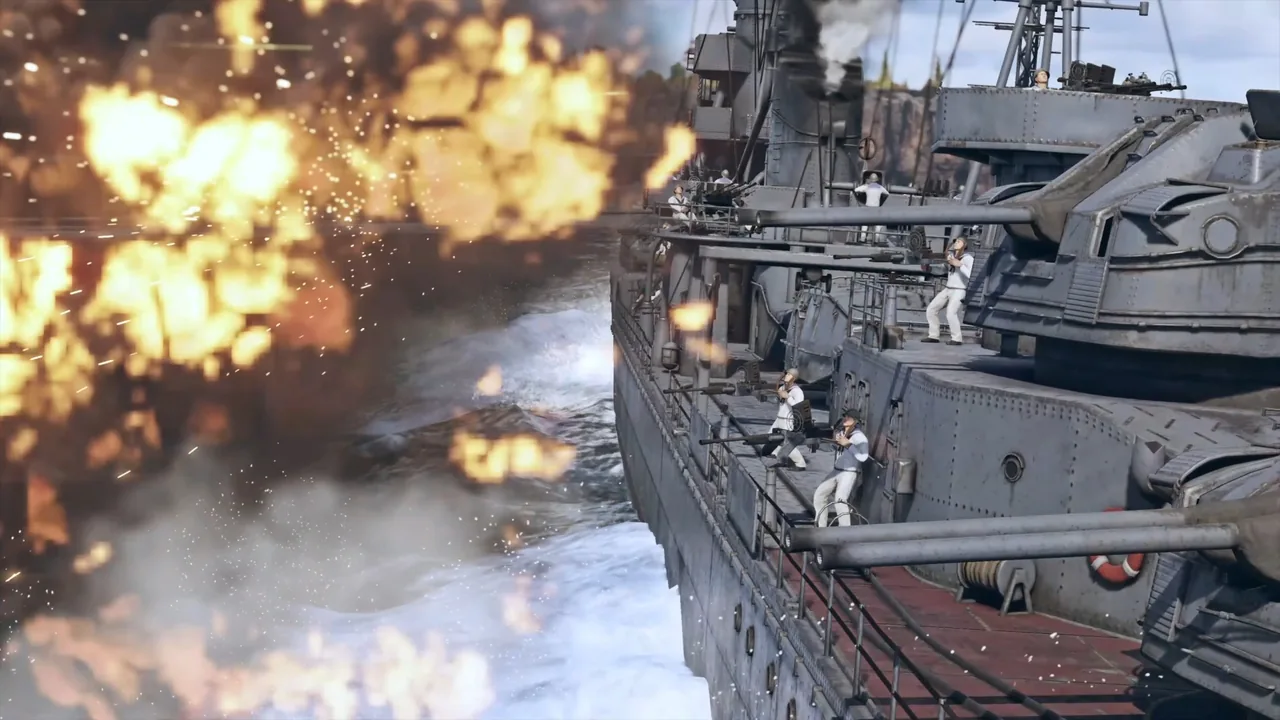
Naval combat. Promotional footage, courtesy of Gaijin Entertainment, not NexaRig gameplay.
Is War Thunder for you?
| You want… | War Thunder offers | Probably not if… |
|---|---|---|
| Historical machines | Tanks, aircraft and ships from the early 20th century to modern units | You prefer fantasy or sci-fi settings |
| To try before paying | Free to play, optional purchases | You dislike games with a premium shop |
| A multiplayer match | Online PvP in several modes | You want a solo or offline game |
| A choice of realism | Arcade, Realistic and Simulator | You want something to learn in minutes |
| A PC or Mac game | Windows and Mac client | You do not want to free up 70 GB or more |
The verdict
If real vehicles in online combat appeal to you, the free client is an easy way to find out. Set your budget before the shop, start in Arcade, and decide after your first session whether to stay. If the download size or the learning curve puts you off, skip it: that is the honest cost of a free game. Not sure which size? Gaijin lists a minimal client of about 23 GB and a full one of about 76 GB on Windows; the minimal one is the smaller commitment.
Before you click:
- Disk: Free up space for the client you choose; Steam asks for 70 GB or more.
- Account: Register a new Gaijin account; this offer is for new players.
- Connection: Stay online; a permanent internet connection is required.
What we can't confirm yet
- How the game plays for you: matchmaking times, balance, how fast you progress without spending, and how it runs on your hardware.
- The exact current download size on your system.
- Whether Apple silicon Macs are supported (the official pages we checked do not say).
- Features, requirements, ratings and review counts may change after October 13, 2026.
FAQ
Is War Thunder free on PC?
Yes. You pay nothing to download or play. The premium shop is optional.
Do I need Steam to play?
No. The button opens the official War Thunder site, where you register and download the client for Windows or Mac. War Thunder also has a Steam listing (Steam release date: August 15, 2013), but these steps do not use it.
Does War Thunder run on Mac?
Yes. Gaijin lists macOS Big Sur 11.0 or newer, a Core i5 (minimum) or Core i7 (recommended) and a Metal-capable GPU (checked October 13, 2026). Steam lists an older minimum, macOS Catalina 10.15. We could not confirm Apple silicon support on the official pages we checked.
How big is the War Thunder download?
Gaijin lists 23.1 GB (minimal client) to 75.9 GB (full client) on Windows and 22.1 GB to 62.2 GB on Mac. Steam asks for 70 GB minimum and 95 GB recommended free space (October 13, 2026). Sizes change with updates.
Is War Thunder good for beginners?
It is free to try. Gaijin's wiki calls Arcade the simplest of the three modes, and Realistic is meant for more experienced players.
Limitations and points to verify
- Age rating: ESRB Teen (Windows PC and PlayStation 4). Gaijin's terms of service (updated August 17, 2026) say the services are not offered to users under 18, with parental consent for minors.