

Opera GX on PC: Keep Your Stream, Guide and Discord Open While You Game
Keep a stream, a guide and Discord open next to your game, and set how much RAM, CPU and bandwidth the browser may take. Free on PC.
QUEST LOG 9 STEPS
MISSION BRIEFINGKeep a stream, a guide and Discord open next to your game, and set how much RAM, CPU and bandwidth the browser may take. Free on PC.
Free · Windows, macOS, Linux · Gaming browser · Available in German
A boss is blocking you, the guide is open in one tab, a stream is running in another and Discord notifications keep appearing. Opera GX gives you a panel where you set how much RAM, CPU time for background tabs and bandwidth the browser may use. It is not an FPS booster.
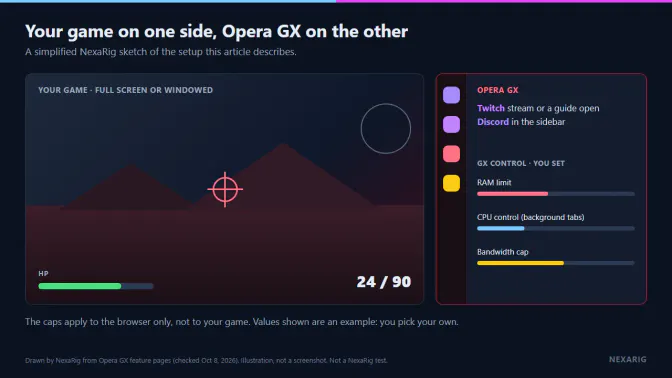
Drawn by NexaRig from Opera GX feature pages (checked Oct 11, 2026). Illustration, not a screenshot.
Opera GX in 30 seconds
- Chat and streams stay in the browser: Discord and Twitch live in the desktop browser's sidebar, not over your game.
- You set the browser's limits: GX Control can cap RAM and network use, manage CPU use for background tabs and show which tabs use the most resources. Availability varies by platform and version.
- The extras are optional: GX Corner collects game news, deals and release dates; GX Mods changes the look and sound; you can turn on a built-in ad blocker.
- The limit is the point: GX Control affects the browser, not the game. It does not guarantee more FPS, a lower frametime or less latency.
Based on official Opera pages, financial reporting and store listings checked on October 11, 2026. Not a NexaRig hands-on test.
Popularity and design signals
Opera says Opera GX averaged 37 million monthly active users across PC and mobile in the quarter ended June 30, 2026, and won a 2026 iF Design Award in the User Interface category. These are popularity and design signals, not performance results.
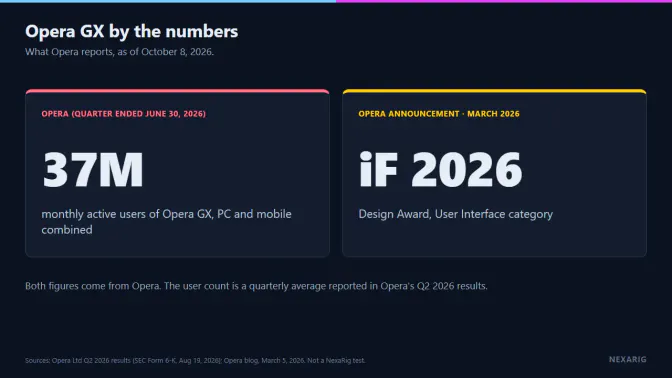
Drawn by NexaRig from Opera's Q2 2026 results and Opera's March 2026 announcement (checked Oct 11, 2026). These figures come from Opera and do not measure game performance.
What you get in the sidebar
Discord and Twitch sit in the sidebar of the desktop browser. They are not in-game overlays: if your game is full-screen, return to the browser to use them.
- Twitch: follow channels and see alerts when they go live, then open the stream in the browser.
- Discord: log in with your account and answer your squad from the browser sidebar.
- GX Corner: gathers free games, deals, a game-release calendar and gaming news in one place.
- GX Mods: free mods change the browser's look and sound, from wallpapers and colors to shaders and sound effects.
- Ad blocker: a built-in ad blocker you turn on with the Block ads toggle; you can add per-site exceptions.
GX Control: set what the browser may take
GX Control is the browser's resource panel. Opera lists RAM, CPU, network and tab-management controls, but the exact set depends on your platform and Opera GX version. Opera's Linux announcement confirms RAM and network controls, for example, but does not confirm CPU control.
RAM and CPU
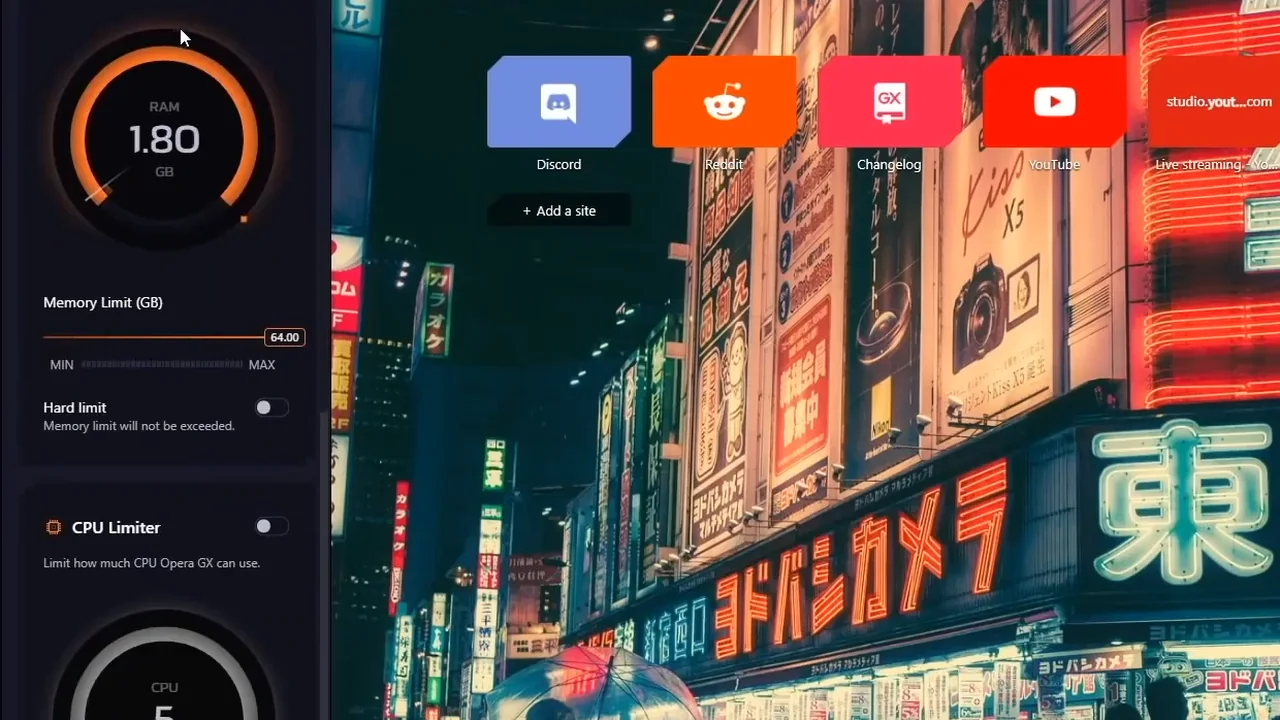
Switch a control on, then set a value. Frame from official Opera GX promotional footage, not a NexaRig capture.
- RAM limiter: set a cap on how much memory the browser may use. A cap that is too tight can make tabs reload or respond more slowly.
- CPU control: throttle background tabs so they take less processor time. We could not confirm this control on macOS or Linux as of October 11, 2026.
Hot Tabs Killer and bandwidth
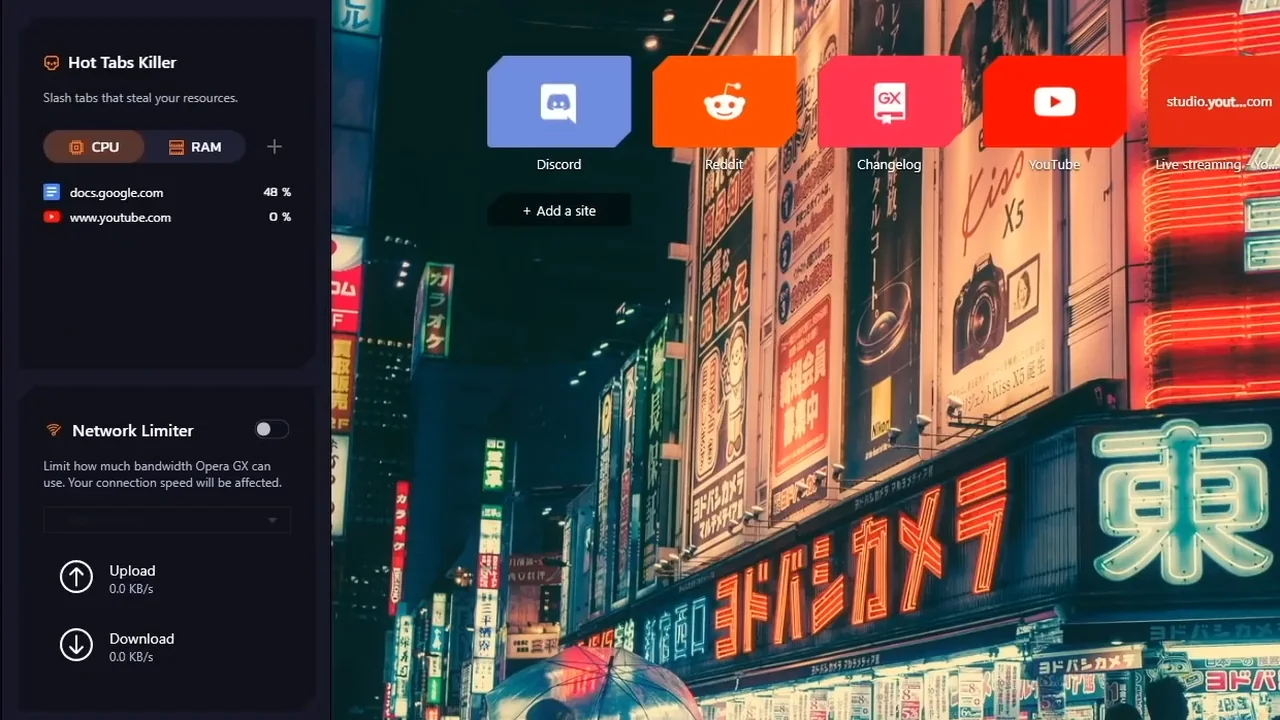
Open Hot Tabs Killer, then close the heaviest tab. Frame from an official Opera GX promotional video, not a NexaRig capture.
- Network limiter: cap how much of your connection's bandwidth the browser can use, so a large file transfer in a tab cannot take all of it.
- Hot Tabs Killer: shows which tabs use the most resources, so you can close one in one click.
Set your first limit in three steps
- Open GX Control from Opera GX's browser sidebar.
- Choose one control — RAM, CPU use by background tabs or network — and start with a moderate limit, not the tightest setting.
- Play with your usual stream or guide open. Loosen the limit if tabs reload or pages slow down; tighten it only if the browser still takes more than you want.
There is no universal value. Change one control at a time so you can tell what made the difference.
The trade-offs
- RAM: a tight cap can lead to tab reloads or slower responses.
- CPU: aggressive control can make demanding pages feel slower.
- Network: the cap affects browser traffic only, not your game client or other apps.
- Results: any effect depends on whether the browser was competing with your game in the first place. NexaRig has not measured a frame-rate, frametime or latency change.
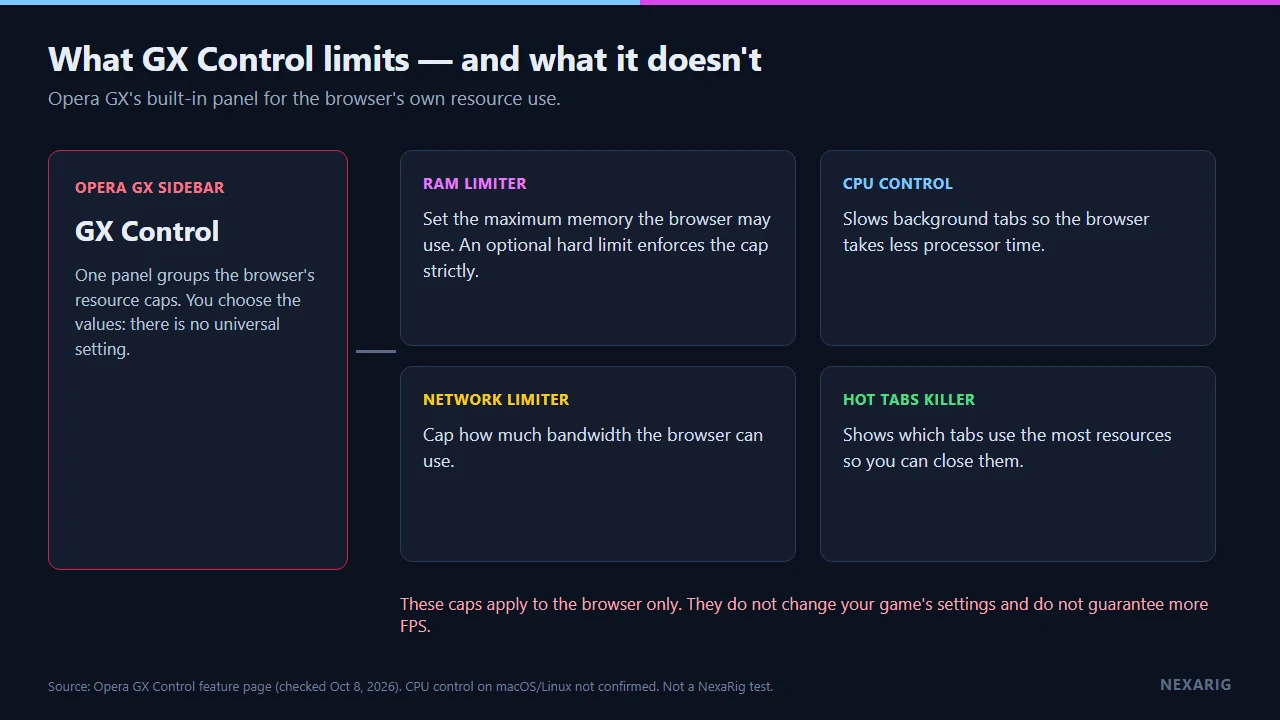
Drawn by NexaRig from Opera's GX Control page (checked Oct 11, 2026): the controls apply to the browser, not to your game, and they do not guarantee a performance gain.
On your phone? Save this page and open it on your PC to get Opera GX.
Verdict
Opera GX makes the most sense if you regularly keep a guide, stream or chat open and want direct control over the browser's resource use. If you close the browser before launching a game, its gaming-specific controls solve a smaller problem for you.
Opera's privacy statement describes extended feature-usage statistics under Help improve Opera by sending feature usage information and crash reports under the separate Automatically send crash reports to Opera setting. It says you can turn off both in Settings → Privacy and security.
If that trade-off fits your routine, get and open Opera GX free on your PC, then set one moderate limit and adjust it from there.
FAQ
Is Opera GX free?
Yes. Opera GX is free to use on Windows, macOS and Linux.
Does Opera GX raise my frame rate?
Not by itself. GX Control limits only the browser. Any effect depends on how much the browser was competing with your game, and NexaRig has not measured a gain.
Is Opera GX available in German?
Yes. Opera lists German among its supported languages.
Can I use Opera GX on my phone?
Opera offers separate Opera GX apps for Android and iOS. This page covers the desktop browser; mobile features differ from the desktop sidebar and GX Control covered here.
Limitations and points to verify
- This analysis uses Opera's official feature pages, financial reporting, store listings and privacy statement. It is not a NexaRig hands-on test.
- NexaRig has not measured Opera GX's RAM use, CPU use, bandwidth use, frame rate, frametime, response time or latency.
- CPU control is not confirmed on macOS or Linux; features and defaults vary by platform and version.
- The privacy statement and Opera's latest user figures should be checked again before publication.